Requirements:
-
Beginner with basic knowledge of HTML, CSS, js and using terminal.
-
Node.js should be installed in your system - Install
-
A code editor for writing codes. ( I prefer VScode)
Create a react app:
-
Create a folder -
start-react -
Go to folder location in terminal using -
cd start-react -
Run command
npx create-react-app ., this command initializes the current folder as a react app.
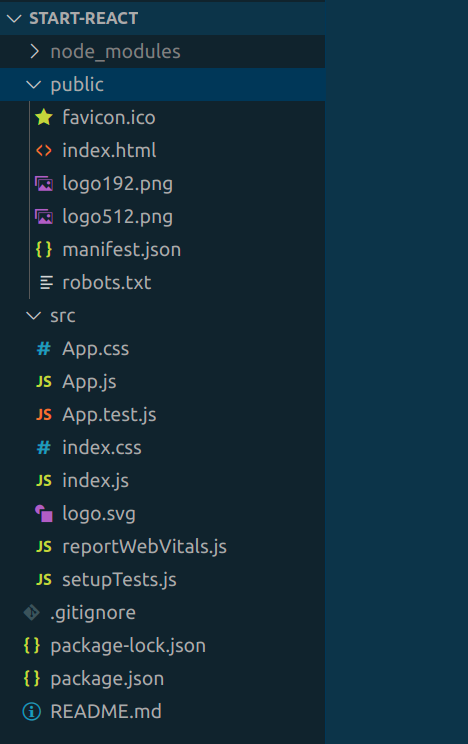
Folder Structure:
-
node_modulesis a folder that contains all the packages and their respective dependencies that are required or used in the project. -
Dependencies are external libraries or modules that have been used or are needed to run the react application.
-
package.jsonhas a list of all thedependenciesused in the project. -
package.lock.jsoncontains information on specific versions of those dependencies.
-
-
publicfolder contains some files of whichindex.htmlis the most important file and it has only onedivpresent in its body withid = "root". This div is the main container where all react code will be rendered. -
srcthe folder is the most important folder which you will deal with most of the time.-
It has three main files
index.js,index.cssandApp.js. All files other than this can be deleted and we can create project-related files when needed. -
index.jsthe file is the root file that connects our react codes to theindex.htmlpresent inpublicfolder using thedivwithid = "root". -
App.jsis nothing but the main or first component of the react app which is rendered. -
This code of
index.jswill make it more understandable to you.javascriptimport React from 'react'; import ReactDOM from 'react-dom/client'; import './index.css'; import App from './App'; const root = ReactDOM.createRoot(document.getElementById('root')); // this root refers to the div in the index.html of public folder root.render( <React.StrictMode> <App /> </React.StrictMode> ); // render is a method in React which renders the react components -
Do this to your src folder:
-
Remove all the files inside src folder except
index.js,App.jsandindex.css. -
Update the
index.jsas followsjavascriptimport React from 'react'; import ReactDOM from 'react-dom/client'; import './index.css'; import App from './App'; const root = ReactDOM.createRoot(document.getElementById('root')); root.render( <React.StrictMode> <App /> </React.StrictMode> ); -
Update the
App.jsas followsjavascriptimport React from 'react'; const App = () => { return ( <div> Hello Learners! </div> ) } export default App
-
-
-
Now open the terminal, go to the location of
start-reactdirectory the location in whichnode_modulesis present and runnpm start. -
This will open a page on your default browser.
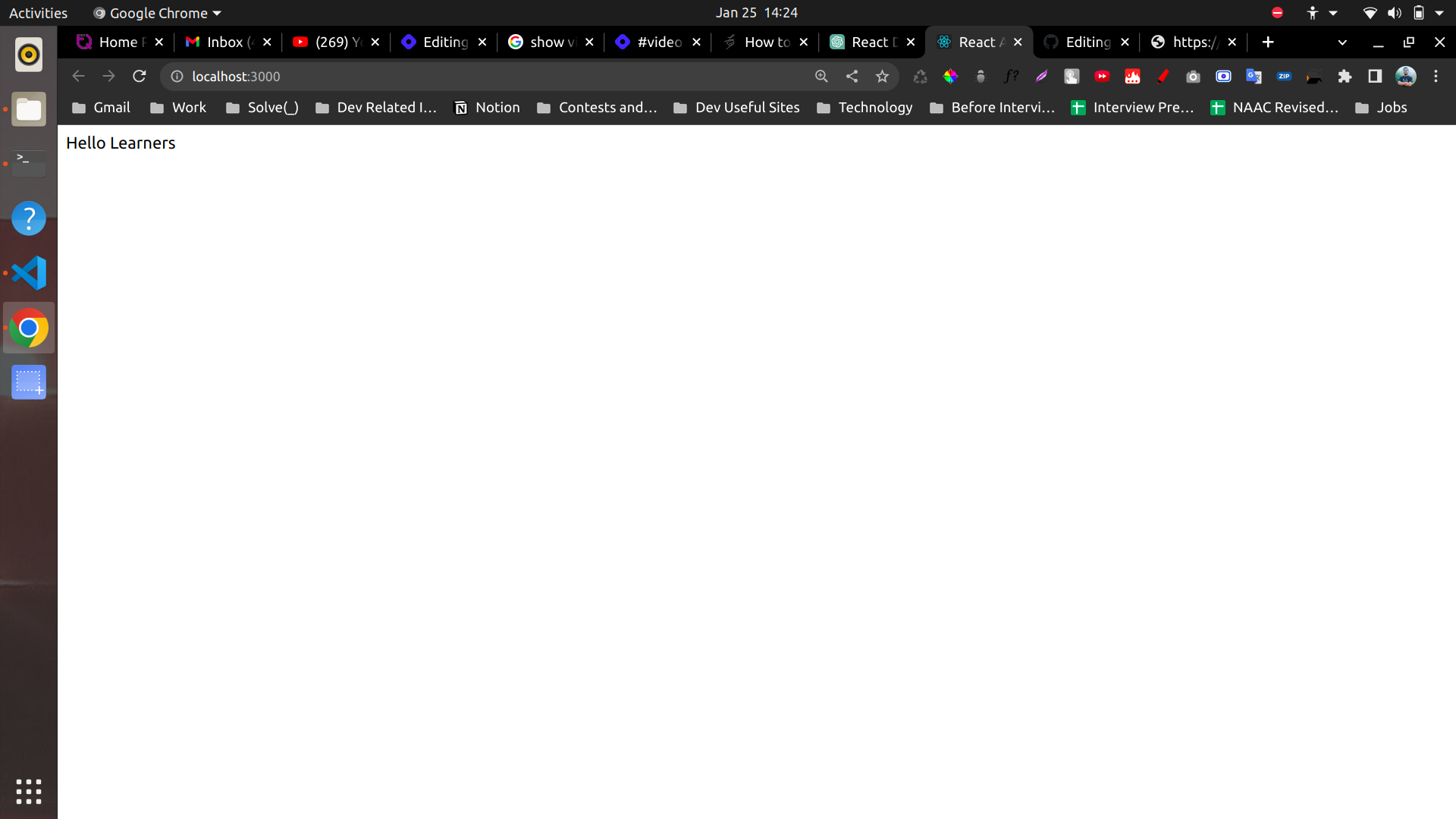
Illustration 2 -
Great! Now you're set up to work on react and you have created your react app.
What did we learn?
-
In this lesson, we learned how to set up our system to create a react app.
-
Then we understood what is the folder structure.
-
node_moduleswhere all the codes for packages and dependencies are present. -
package.jsoncontains the list of dependencies whereaspackage.lock.jsoncontains information about the versions of the dependencies used in the app. -
publicfolder containsindex.htmlwhich has onedivwithid = "root"where all the react code is rendered. -
The most important folder is
the src, has three main filesindex.js,index.cssandApp.js.
-
Next Lesson?
- In the upcoming lessons I will teach you about how to write html in react, how to use javascript variables to change html easily, concept of props and more.
Till then, bye!